[Nov 2025] Clarymind Screen Time Report Upgrade 🎉
![[Nov 2025] Clarymind Screen Time Report Upgrade 🎉](https://cdn-blog.clarymind.com/2025-report-upgrade-en/grumpi-from-clarymind-is-watching-you-en.jpg)
We receive new feature requests almost every day (thank you so much for taking the time to share your thoughts with us!).
And over the past six months, the most requested feature has been the reporting feature:
“I want to review a longer time period.”
“I hope there are more visual reports.”
“I think the phone usage logs could include more details.”
We hear you 👌
Now, when you open the reporting feature, you’ll see your unlock-time stats from the day you first downloaded Clarymind, plus the past 30 days of phone usage data provided by Apple.
1️⃣ Daily Dot Tracker
Everyone is unique, with different goals.
So we asked ourselves:
- What kind of data helps people understand their phone habits the fastest?
- What kind of presentation helps people stay motivated to keep their habits?
After a lot of discussion, our team decided to use the Daily Dot Tracker format.
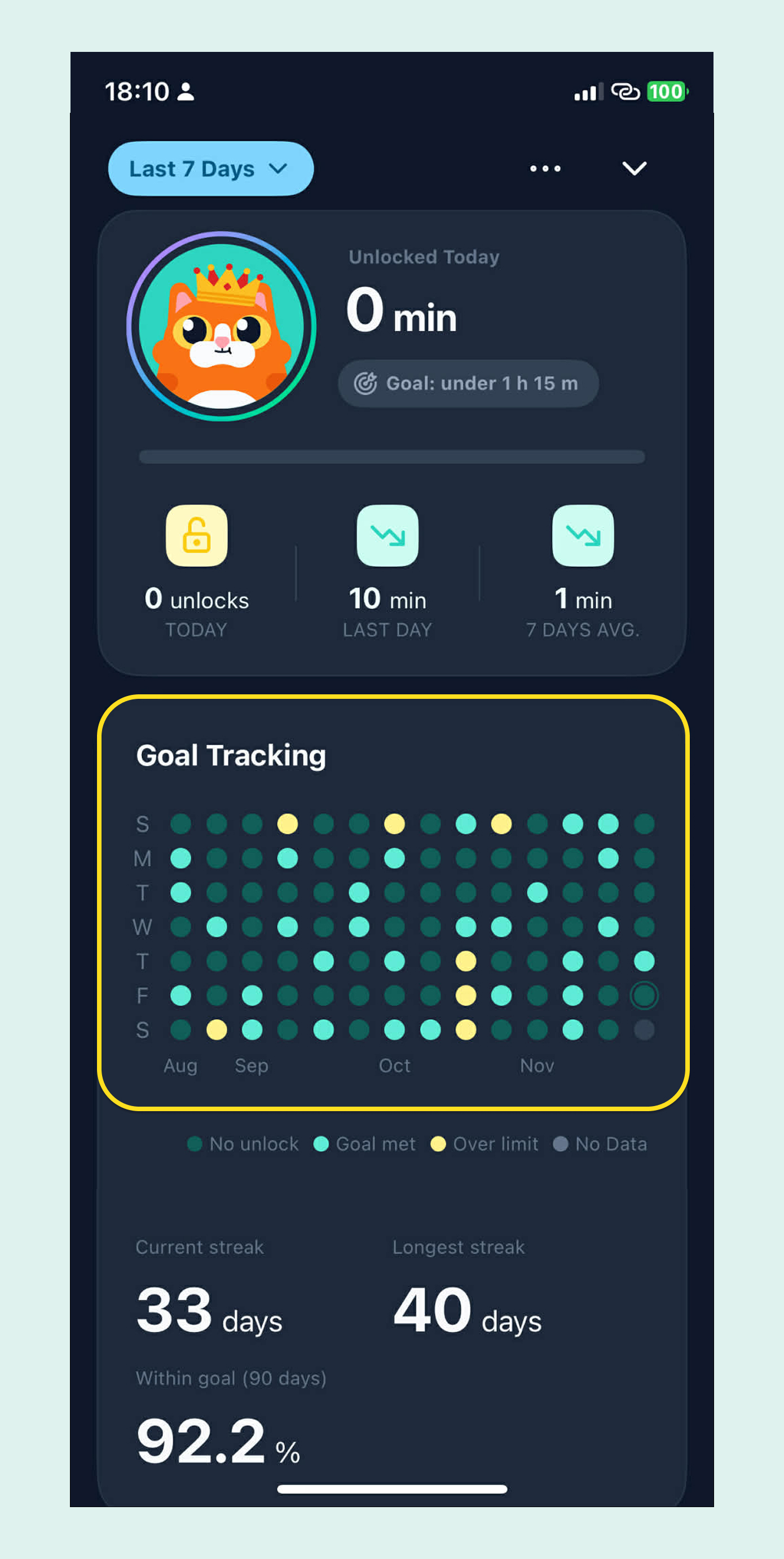
Green dots show the days you met your goal. Yellow dots show the days you went over your intended screen time.
If you miss a day, don’t get discouraged. As Atomic Habits reminds us, the key is to tell yourself: “Never miss twice.”
All the small wins you’ve accumulated over time are what truly shape your life into what you want.
Missing a single day doesn’t erase that progress.
We hope everyone focuses on long-term accumulation. Every day is another chance to cast a vote for the person you want to become.
2️⃣ Went over your limit? Your Focus Buddy is watching you
If you stay within your daily unlock limit, your screen guardian will be smiling at you.
But if you go over?
Well… Grumpi the cat is very busy. He still has to sneak into the kitchen to steal salmon later. Are you sure you want to make him stare at you like that? 🥹
The King, the Wizard, and the Guard each have their own “I am watching you” expression as well. You can switch your buddy weekly and see which expression motivates you the most.
3️⃣ Do you know how often you pick up your phone on average?
Apple’s built-in report tells you how many times you pick up your phone each day.
So maybe you already know:
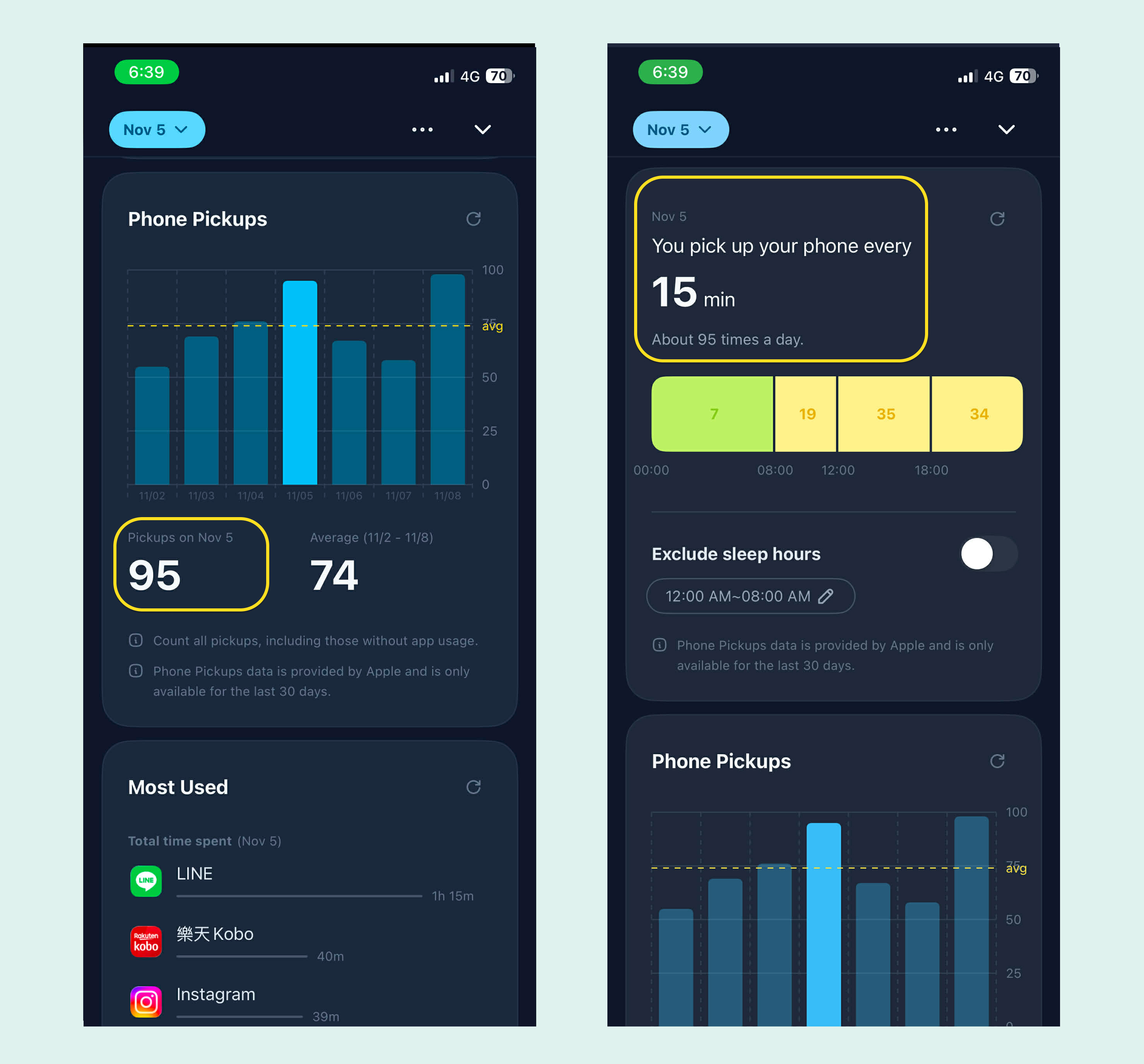
“Oh, I pick up my phone 95 times a day.”
But did you know that picking up your phone 95 times a day means your average interval between pickups is just 15 minutes?
And if we subtract 8 hours of sleep, that means you’re picking up your phone about every 10 minutes.
Studies show that each distraction takes about 20 minutes to return to a focused flow state.
We hope this report helps you become more aware of your phone habits and set mindful digital boundaries so you can redefine your relationship with your phone.
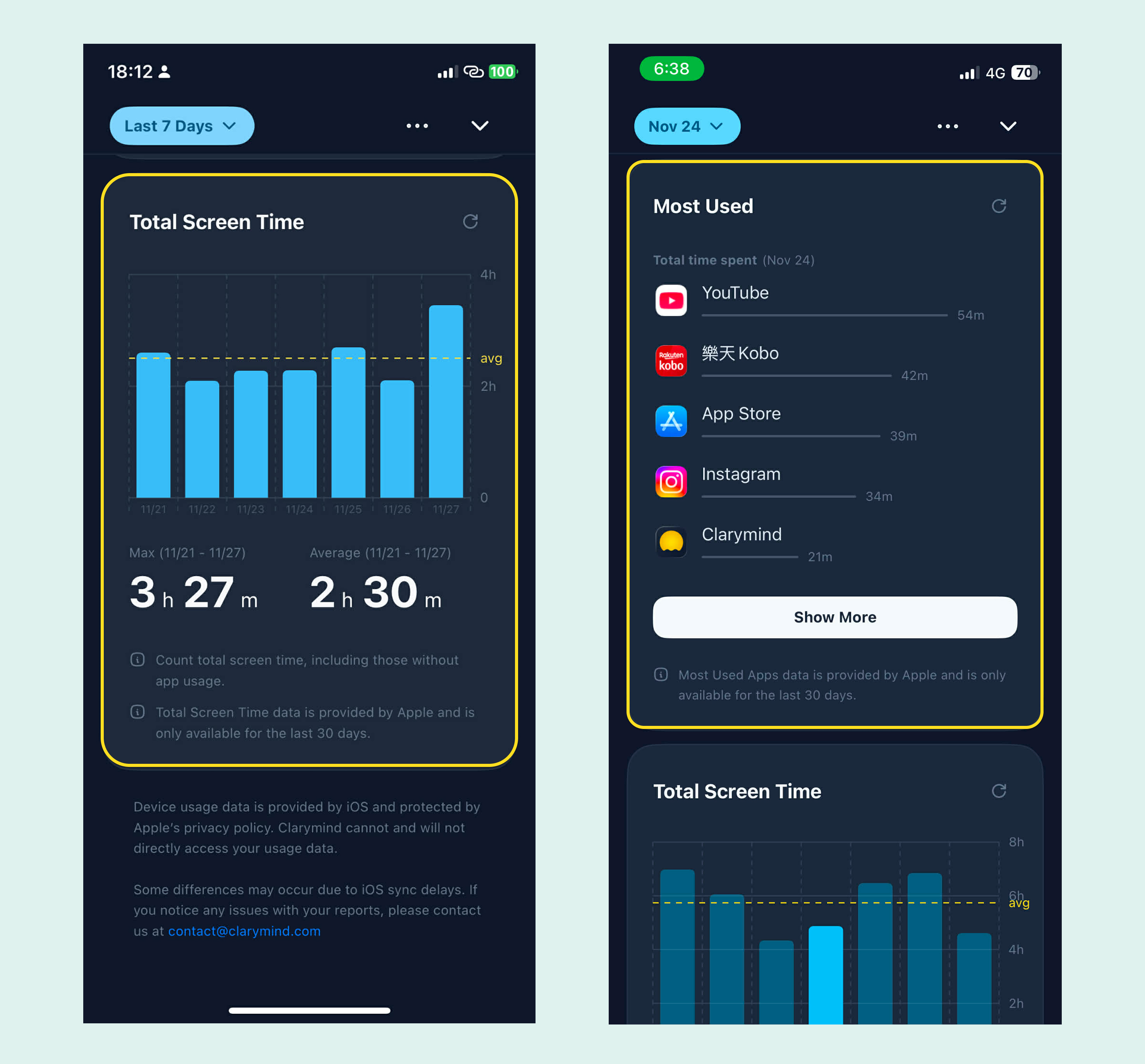
4️⃣ Integrated Apple Screen Time Data
You can now view Apple’s built-in Screen Time data directly inside the Clarymind app. No more switching back and forth.
The data, provided directly by Apple, includes up to the past 30 days and is fully protected by Apple’s privacy standards. Clarymind displays it in our own layout, but we cannot read or access your information. Please rest assured.
Unlike Apple’s built-in report, Clarymind also lets you count only the pickups and usage time from actual app use, excluding notification checks and widget interactions. This prevents pocket movements or quick time checks from being counted as real usage.
Pro users can tap the date button in the top left to select any time range. The system will automatically generate your usage stats for that period.
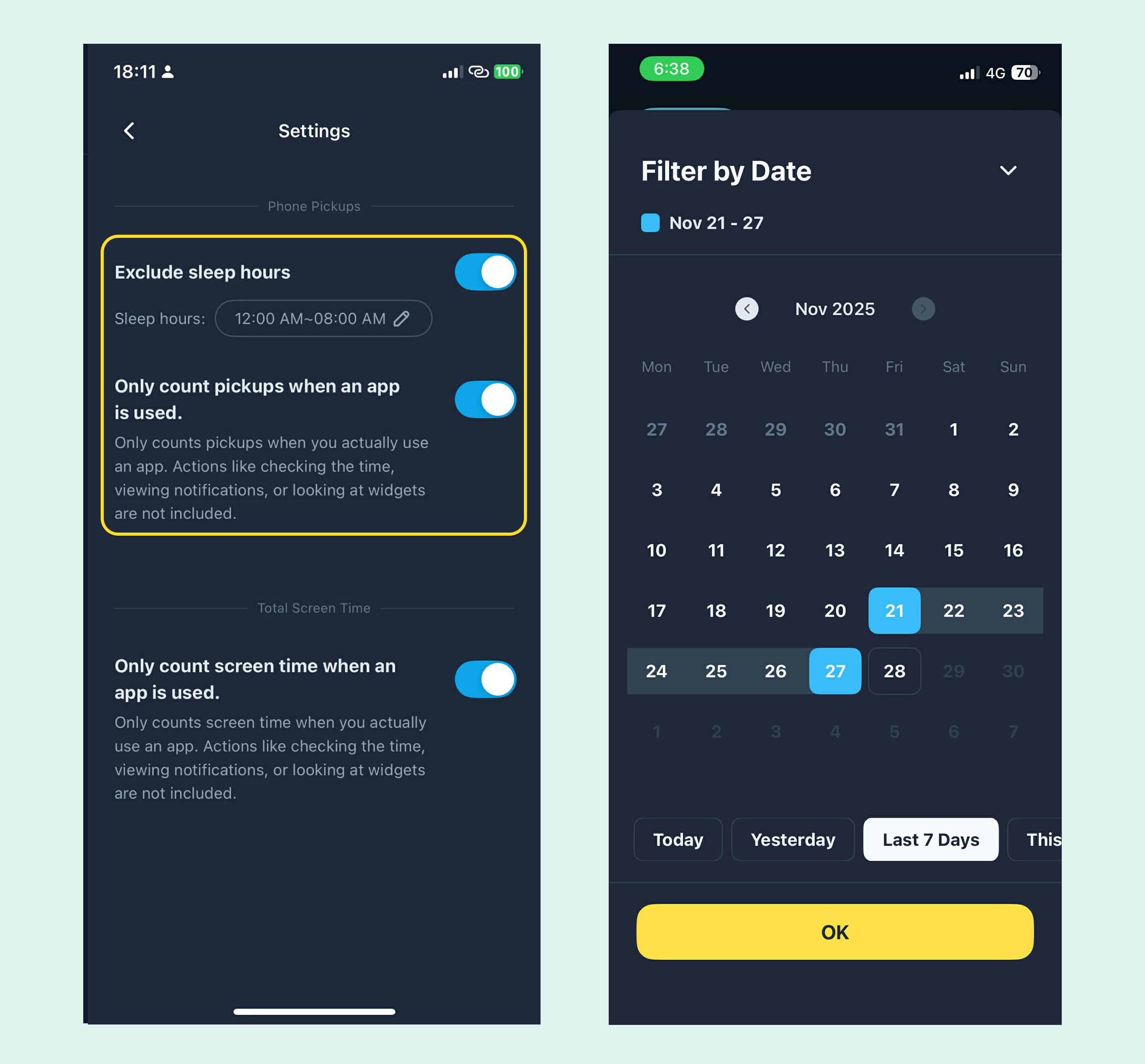
If your device is running iOS 17 or later and you’re a Pro user, you’ll see the full features above.
If you have any questions, feel free to email us anytime at contact@clarymind.com